How-To
l 5min

How to Build an Arabic Voice Agent with LiveKit (2026 Guide)

Author
Rym Bachouche

Powering the Future with AI

Join our newsletter for insights on cutting-edge technology built in the UAE

Key Takeaways

1

LiveKit + Munsit provides a complete voice-agent pipeline: LiveKit handles the real-time agent framework, while Munsit provides both Arabic STT and TTS.

2

Arabic-English code-switching matters: The munsit-en-ar model is designed for conversations where speakers naturally switch between Arabic and English.

3

Streaming STT is suited to real-time agents: The article documents a median first partial transcript of roughly 0.7 seconds, with final transcription around 1.2 seconds after speech ends under its documented configuration.

4

Voice settings can be tuned: Developers can adjust voice ID, stability, speed, sample rate, and dialect settings to match the application's requirements

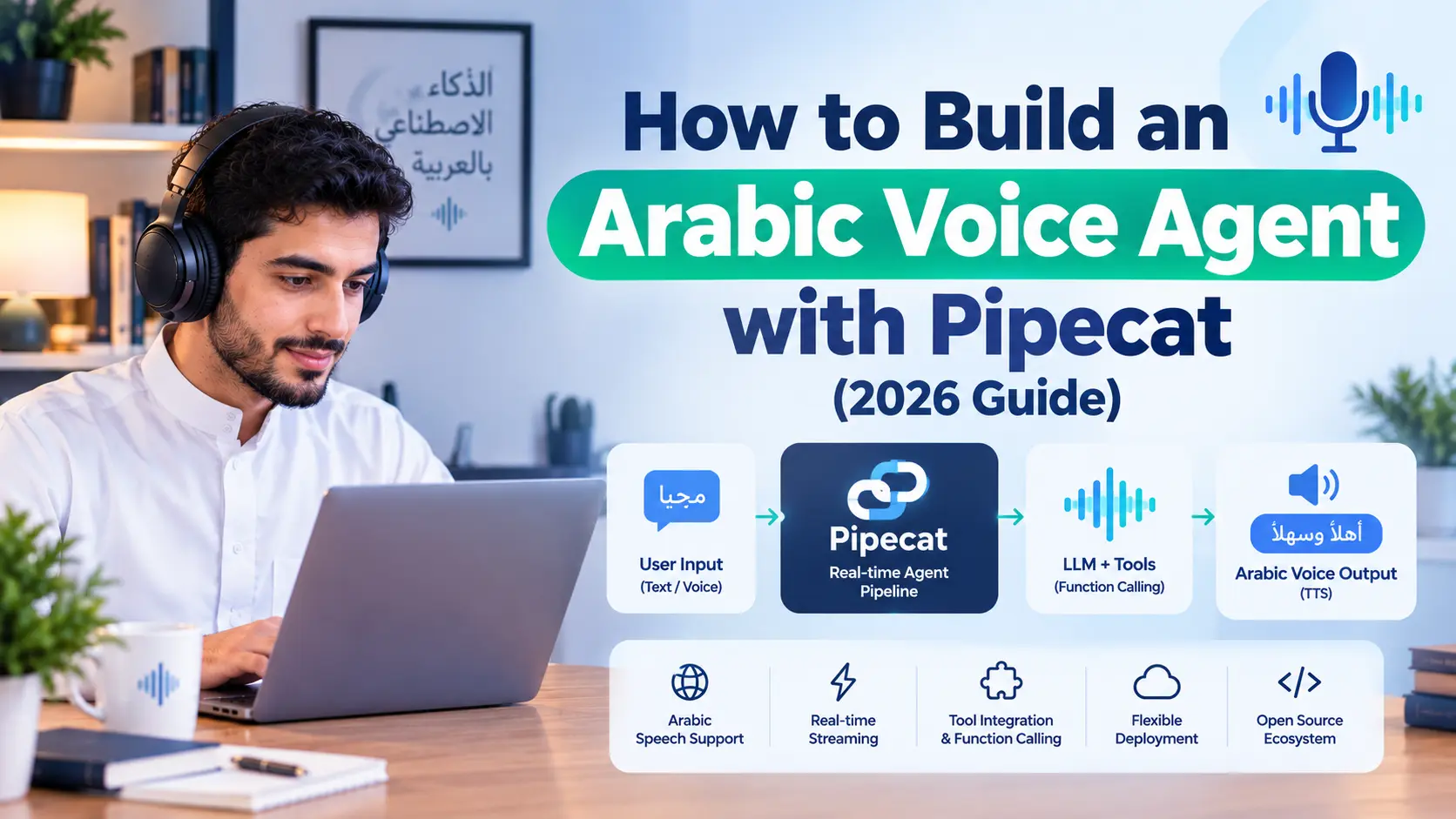
Building a natural Arabic voice agent requires more than connecting an LLM to a voice interface. The system needs a real-time pipeline that converts speech to text, processes the conversation through an LLM, and converts the response back into speech with minimal delay. The article shows how LiveKit Agents can handle this pipeline while Munsit provides both Arabic STT and TTS.

The guide walks developers through installing and authenticating the Munsit LiveKit plugin, creating an Arabic voice assistant, running it locally or in production, and configuring streaming STT and TTS. It also explains how to select the appropriate STT model, including munsit-en-ar for Arabic-English code-switching and munsit for pure Arabic recognition with custom vocabulary support.

‍

How to Build an Arabic Voice Agent with LiveKit

A voice agent the kind that answers a call, listens, and replies naturally in real time, is a pipeline problem before it’s a prompting problem. Speech has to become text fast enough to feel conversational, a language model has to reason over that text, and the reply has to become speech again without a noticeable gap. For Arabic specifically, there’s an added wrinkle most frameworks weren’t built around: callers routinely mix Arabic and English mid-sentence, and a generic multilingual STT model handles that switch by treating it as two separate recognition tasks, producing seams and errors exactly where the conversation matters most.
‍

This guide walks through building an Arabic voice agent on LiveKit Agents the open-source framework for real-time voice, video, and multimodal AI agents using Munsit’s livekit-plugins-munsit package, which provides both speech-to-text and text-to-speech for Arabic (including Arabic-English code-switching) from a single vendor. Using one vendor for both legs of the conversation means the caller is transcribed and answered in the same Arabic register, rather than stitching together a non-Arabic-first STT engine with a separate TTS vendor.

‍

This is some text inside of a div block.

Architecture: What You’re Building

A LiveKit voice agent follows an STT → LLM → TTS pipeline inside an AgentSession: incoming audio is transcribed in real time, the transcript goes to a language model for reasoning, and the model’s reply is synthesized back to speech and streamed to the caller with LiveKit’s turn-detection logic deciding when the caller has actually finished speaking versus just pausing mid-thought. This guide uses Munsit for both the STT and TTS legs and OpenAI for the LLM leg, which is the configuration documented in Munsit’s own LiveKit integration guide.

‍

Prerequisites

•             Python 3.10 or later

•             A Munsit account and an API key (generated from Munsit’s API Keys dashboard)

•             A LiveKit Cloud account, or a self-hosted LiveKit server

•             An LLM provider key (this guide uses OpenAI, but any LLM plugin LiveKit Agents supports will work)

‍

Step 1: Install and Authenticate

Install the plugin from PyPI, or from source if you want the latest unreleased changes:

# From PyPI
pip install livekit-plugins-munsit

# From source
git clone https://github.com/CNTXTFZCO0/livekit-plugins-munsit.git
cd livekit-plugins-munsit
pip install -e .

Both munsit.STT and munsit.TTS read MUNSIT_API_KEY automatically from the environment. Put your credentials in a .env.local file alongside your LiveKit and LLM keys:

# Munsit speech-to-text and text-to-speech
MUNSIT_API_KEY=your_MUNSIT_API_KEY_here

# LiveKit Configuration
LIVEKIT_URL=wss://your-livekit-server.com
LIVEKIT_API_KEY=your_livekit_api_key
LIVEKIT_API_SECRET=your_livekit_api_secret

# LLM Configuration (for the agent's brain)
OPENAI_API_KEY=your_openai_api_key

Your Munsit API key is shown once at creation. Keep .env.local out of version control, use environment variables (not hardcoded strings) in production, and rotate keys periodically standard key hygiene that matters more here because this key authenticates both the STT and TTS legs of a live, customer-facing pipeline.

‍

Step 2: Write the Agent

Create arabic_agent.py:

"""
Arabic voice assistant Munsit STT + Munsit TTS
"""
from dotenv import load_dotenv
from livekit import agents
from livekit.agents import Agent, AgentServer, AgentSession
from livekit.plugins import munsit, openai, silero

load_dotenv(".env.local")

class ArabicAssistant(Agent):
"""Arabic-speaking voice assistant"""
def __init__(self) -> None:
    super().__init__(
            instructions="""
أنت مساعد صوتي ذكي يتحدث العربية بطلاقة.
مهمتك مساعدة المستخدمين بالإجابة على أسئلتهم بطريقة واضحة ومفيدة.
كن ودوداً ومحترماً في تعاملك.
"""
    )

server = AgentServer()

@server.rtc_session()
async def my_agent(ctx: agents.JobContext):
session = AgentSession(
    stt=munsit.STT(model="munsit-en-ar"),  # Arabic + English code-switch
    llm=openai.LLM(model="gpt-4o", temperature=0.7),
    tts=munsit.TTS(
            voice_id="ar-uae-male-1",  # Copy IDs from the Voice Library
        model="faseeh-v1-preview",
            stability=0.75,
        speed=1.0,
    ),
    vad=silero.VAD.load(activation_threshold=0.6, min_speech_duration=0.3),
)
await session.start(room=ctx.room, agent=ArabicAssistant())
await session.generate_reply(
        instructions="رحب بالمستخدم باللغة العربية وقدم نفسك كمساعد ذكي جاهز للمساعدة."
)

if __name__ == "__main__":
    agents.cli.run_app(server)

The Silero VAD thresholds here (activation_threshold=0.6, min_speech_duration=0.3) are tuned for real-world microphones, where post-echo-cancellation audio leaking back from the agent’s own speaker can otherwise be misread as the caller speaking the “microphone feedback loop” failure mode covered in troubleshooting below.

‍

Step 3: Run It

# Dev mode: starts a local LiveKit server, launches the agent, gives you a test URL
python arabic_agent.py dev

# Production: deploy against your LiveKit Cloud or self-hosted server
python arabic_agent.py start

In dev mode, open the test URL in a browser, allow microphone access, and speak Arabic the agent should respond in the configured Munsit voice. For the fastest debugging loop, use console mode, which runs locally against your microphone and prints transcripts to stdout without needing a LiveKit server at all.

‍

Step 4: Configure Speech-to-Text

munsit.STT() defaults to streaming mode: it holds a live WebSocket to Munsit, emits interim transcripts while the caller is still talking, and finalizes each turn with word-level timestamps the moment server-side turn detection fires the right mode for a live voice agent. Pass mode="batch" to instead buffer a full utterance and POST it as a single request, which suits pipelines transcribing recorded audio rather than live conversation.

Mode Best For Endpoint Typical Latency
streaming (default) Voice agents, live captions WS /api/v1/listen ~0.7s median to first partial; final ~1.2s after speech ends
batch Recorded audio, one-request-per-utterance pipelines POST /api/v1/audio/transcribe ~1–2s for short utterances (VAD + upload + processing)


from livekit.plugins import munsit

streaming_stt = munsit.STT()
batch_stt = munsit.STT(mode="batch")

Note: STT.recognize(audio_buffer) always hits the batch HTTP endpoint directly, regardless of what mode the instance was configured with use it when you have a recorded buffer (a voicemail, an uploaded file) rather than a live stream.

Choosing a model. Pin the model explicitly rather than relying on the plugin default, so a future default change can’t silently alter your agent’s behavior:

Model Use Case
munsit-en-ar (plugin default) Mixed Arabic-English speech with code-switching
munsit Pure Arabic recognition; fastest, and the only model that supports custom vocabulary (hotwords)

A few constructor parameters worth knowing beyond the defaults: hotwords accepts up to 200 custom vocabulary entries (rare terms or names, ≤40 characters each) but only works on the munsit model passing it with munsit-en-ar is silently ignored with a warning. sample_rate defaults to 16000 and is just an input hint; the streaming endpoint negotiates 8000/16000 with the server and resamples anything else automatically, which matters because LiveKit tracks are typically 48000. auth_method accepts header (default, x-api-key), bearer, or query the query option exists specifically for deployments behind a proxy that strips custom headers.

‍

Step 5: Configure Text-to-Speech

TTS streaming is always on and the agent starts speaking as soon as the first audio chunk is ready, rather than waiting for the full reply to render. Pick a voice from Munsit’s Voice Library by listening to samples and copying the voice ID.

Parameter Values What it does
voice_id e.g. ar-uae-male-1 The Arabic voice to synthesize with
model faseeh-v1-preview Munsit’s Arabic voice synthesis model
stability 0.0–1.0 Voice consistency: 0.0–0.4 more expressive but can hallucinate; 0.5–0.7 balanced (recommended); 0.8–1.0 very consistent, less variation
speed 0.7–1.2 Speech rate: 0.7–0.9 slower/clearer for complex content; 1.0 normal; 1.1–1.2 faster
sample_rate 8000–48000 Output PCM rate; defaults to 48000, the engine’s native rate, so WebRTC audio needs no resampling. Lower it only for narrowband transport like telephony
dialect e.g. emirati Optional pronunciation hint for the selected voice

Rule of thumb for stability: chatbots 0.6–0.8, professional/formal applications 0.8–1.0, creative content 0.3–0.5. Voice settings can also change at runtime useful for switching tone or dialect mid-conversation based on context:

# Start with one voice
tts = munsit.TTS(voice_id="ar-uae-male-1", speed=1.0)

# Switch to a different voice based on context
tts.update_options(
voice_id="ar-hijazi-female-2",
stability=0.8,
speed=1.0,
)

‍

Step 6: Tune Endpointing

In streaming mode, the server decides when a turn ends: it waits for endpointing_ms of silence (default 800ms, tunable 100–5000ms), and with smart_turn enabled (default) a semantic turn-completion model must also agree the speaker has actually finished, so a caller pausing mid-thought isn’t cut off mid-sentence. A turn always ends after twice the silence window regardless, as a hard ceiling.

# Snappier finals: shorter silence window, semantic gating still on
stt = munsit.STT(
mode="streaming",
endpointing_ms=300,
smart_turn=True,
)

# Retune mid-session on a live stream (100–5000ms)
stream = stt.stream()
await stream.configure_endpointing(800)

For a recorded buffer rather than a live stream, use recognize() directly:

from livekit import rtc
from livekit.plugins import munsit

stt = munsit.STT()
frames = [...]  # list of rtc.AudioFrame
combined = rtc.combine_audio_frames(frames)
result = await stt.recognize(combined)
print(result.alternatives[0].text)
for word in result.alternatives[0].words:
print(f"{word.start_time:.2f}s -> {word.end_time:.2f}s  {word}")

‍

Step 7: Track Turn Metrics

Each conversation turn carries timing data on its ChatMessage. Subscribing to conversation_item_added gives transcription delay, end-of-turn delay, and downstream LLM/TTS timing useful for diagnosing where latency is actually coming from in production rather than guessing:

from livekit.agents import ChatMessage

@session.on("conversation_item_added")
def on_item(event):
msg = event.item
if not isinstance(msg, ChatMessage):
    return
metrics = msg.metrics or {}
if msg.role == "user":
        transcription_delay = metrics.get("transcription_delay")
        end_of_turn_delay = metrics.get("end_of_turn_delay")
    if transcription_delay is not None:
        print(f"STT delay: {transcription_delay * 1000:.0f} ms")
    if end_of_turn_delay is not None:
        print(f"EOU delay: {end_of_turn_delay * 1000:.0f} ms")
elif msg.role == "assistant":
    llm_ttft = metrics.get("llm_node_ttft")
    tts_ttfb = metrics.get("tts_node_ttfb")
    if llm_ttft:
        print(f"LLM TTFT: {llm_ttft * 1000:.0f} ms")
    if tts_ttfb:
        print(f"TTS TTFB: {tts_ttfb * 1000:.0f} ms")

The older metrics_collected event is deprecated in favor of this approach.

This is some text inside of a div block.

Heading

Lorem ipsum dolor sit amet, consectetur adipiscing elit. Suspendisse varius enim in eros elementum tristique. Duis cursus, mi quis viverra ornare, eros dolor interdum nulla, ut commodo diam libero vitae erat. Aenean faucibus nibh et justo cursus id rutrum lorem imperdiet. Nunc ut sem vitae risus tristique posuere.

Lorem ipsum dolor sit amet, consectetur adipiscing elit. Suspendisse varius enim in eros elementum tristique. Duis cursus, mi quis viverra ornare, eros dolor interdum nulla, ut commodo diam libero vitae erat. Aenean faucibus nibh et justo cursus id rutrum lorem imperdiet. Nunc ut sem vitae risus tristique posuere.

Lorem ipsum dolor sit amet, consectetur adipiscing elit. Suspendisse varius enim in eros elementum tristique. Duis cursus, mi quis viverra ornare, eros dolor interdum nulla, ut commodo diam libero vitae erat. Aenean faucibus nibh et justo cursus id rutrum lorem imperdiet. Nunc ut sem vitae risus tristique posuere.

Lorem ipsum dolor sit amet, consectetur adipiscing elit. Suspendisse varius enim in eros elementum tristique. Duis cursus, mi quis viverra ornare, eros dolor interdum nulla, ut commodo diam libero vitae erat. Aenean faucibus nibh et justo cursus id rutrum lorem imperdiet. Nunc ut sem vitae risus tristique posuere.

Troubleshooting

Symptom Fix
“Invalid API Key” Confirm MUNSIT_API_KEY is actually available to the process running your agent: echo $MUNSIT_API_KEY
“Payment Required” Account balance is low. Top up at app.munsit.com
“Rate Limit Exceeded” Implement client-side rate limiting, or contact Munsit support to raise your limits.
No final transcript Batch mode finalizes after LiveKit signals end-of-speech. Confirm your AgentSession includes VAD (silero.VAD.load(...)).
Microphone feedback loop (agent transcribes its own TTS playback) Residual audio leaks through the mic after echo cancellation; munsit-en-ar is more sensitive to low-energy input than munsit. Tighten VAD as shown in Step 2, switch temporarily to model="munsit" to confirm it’s model-specific, or test with headphones.
Need live captions Use munsit.STT(mode="streaming", interim_results=True)
No audio output Check API key validity, network stability, microphone permissions, WebRTC browser support, and that your firewall allows WebSocket connections.
Poor audio quality Raise stability to 0.8+, and check network and audio codec support.

‍

Support channels: the livekit-plugins-munsit package on PyPI, GitHub Issues, the LiveKit Community, and Munsit support directly. The plugin is Apache 2.0 licensed.

UAE and Saudi Compliance Considerations for Voice Agents

A production voice agent processes live customer voice data, which carries specific regulatory considerations in the UAE and Saudi Arabia beyond the technical build:
‍

Voice is personal data. Under the UAE’s Federal Decree-Law No. 45/2021 (PDPL) and Saudi Arabia’s PDPL (enforced since September 2024), voice recordings and the transcripts and derived data (sentiment, intent) generated from a voice agent conversation are personal data. Confirm the legal basis for processing typically consent or legitimate business interest with proper notice before deploying a customer-facing agent, and document where that audio and its derived transcripts are processed and stored.
‍

Disclosing that a caller is talking to AI isn’t currently mandated by a specific UAE statute, but it’s good practice regardless. The UAE Charter for the Development and Use of Artificial Intelligence establishes transparency as a national AI principle building “clear understanding of AI and how systems operate” without spelling out a specific disclosure requirement for conversational or voice agents. Absent an explicit mandate, disclosing early in the conversation that the caller is speaking with an AI assistant (easy to add to the generate_reply greeting shown in Step 2) is a reasonable practice consistent with that transparency principle and with how other jurisdictions are moving on this question.
‍

Voice cloning requires separate, explicit consent. If voice_id in your TTS configuration is a cloned voice of a real person rather than a stock voice from the Voice Library using that clone commercially requires documented, explicit consent from that person, under both the PDPL’s treatment of voice as personal data and the UAE’s Federal Decree-Law No. 34/2021 (Cybercrimes Law), which covers unauthorized use of someone’s likeness or voice.
‍

Sovereign deployment matters for regulated sectors. Government, banking, and healthcare voice agents often need audio processing to stay within a defined jurisdiction or air-gapped environment. Munsit documents cloud, sovereign VPC, on-premises, and on-device deployment options beyond the standard cloud API shown in this guide to confirm which deployment model fits your sector’s requirements before architecture decisions assume cloud-only.
‍

This section provides general information, not legal advice. Consult qualified legal counsel for compliance decisions specific to your deployment and jurisdiction.

See how Munsit performs on real Arabic speech

Evaluate dialect coverage, noise handling, and in-region deployment on data that reflects your customers.
Explore

FAQ

Does Munsit’s LiveKit plugin handle both Arabic speech recognition and Arabic speech synthesis?
What’s the difference between the munsit and munsit-en-ar STT models?
How fast is the voice agent’s response, start to finish?

Powering the Future with AI

Join our newsletter for insights on cutting-edge technology built in the UAE
Thank you! Your submission has been received!
Oops! Something went wrong while submitting the form.
Last update :
October 5, 2026

How to Build an Arabic Voice Agent with LiveKit (2026 Guide)

How-To
Author
Sarra Turki
Rym Bachouche
5min read

Bring Arabic Voice AI to production

Native‑level Arabic STT & TTS
Built for GCC gov & enterprises
Sovereign and on‑prem deployment
Contact Sales
Thank you! Your submission has been received!
Oops! Something went wrong while submitting the form.

Key Takeaways

LiveKit + Munsit provides a complete voice-agent pipeline: LiveKit handles the real-time agent framework, while Munsit provides both Arabic STT and TTS.

Arabic-English code-switching matters: The munsit-en-ar model is designed for conversations where speakers naturally switch between Arabic and English.

Streaming STT is suited to real-time agents: The article documents a median first partial transcript of roughly 0.7 seconds, with final transcription around 1.2 seconds after speech ends under its documented configuration.

Voice settings can be tuned: Developers can adjust voice ID, stability, speed, sample rate, and dialect settings to match the application's requirements

Latency should be measured across the entire pipeline: STT delay, end-of-turn delay, LLM time-to-first-token, and TTS time-to-first-byte can be tracked separately to diagnose performance.

Production deployments need compliance planning: Voice recordings, transcripts, and derived data can involve personal-data obligations, while voice cloning requires explicit consent and regulated organizations may need sovereign, on-premises, or on-device deployment options.

Building a natural Arabic voice agent requires more than connecting an LLM to a voice interface. The system needs a real-time pipeline that converts speech to text, processes the conversation through an LLM, and converts the response back into speech with minimal delay. The article shows how LiveKit Agents can handle this pipeline while Munsit provides both Arabic STT and TTS.

The guide walks developers through installing and authenticating the Munsit LiveKit plugin, creating an Arabic voice assistant, running it locally or in production, and configuring streaming STT and TTS. It also explains how to select the appropriate STT model, including munsit-en-ar for Arabic-English code-switching and munsit for pure Arabic recognition with custom vocabulary support.

‍

How to Build an Arabic Voice Agent with LiveKit

A voice agent the kind that answers a call, listens, and replies naturally in real time, is a pipeline problem before it’s a prompting problem. Speech has to become text fast enough to feel conversational, a language model has to reason over that text, and the reply has to become speech again without a noticeable gap. For Arabic specifically, there’s an added wrinkle most frameworks weren’t built around: callers routinely mix Arabic and English mid-sentence, and a generic multilingual STT model handles that switch by treating it as two separate recognition tasks, producing seams and errors exactly where the conversation matters most.
‍

This guide walks through building an Arabic voice agent on LiveKit Agents the open-source framework for real-time voice, video, and multimodal AI agents using Munsit’s livekit-plugins-munsit package, which provides both speech-to-text and text-to-speech for Arabic (including Arabic-English code-switching) from a single vendor. Using one vendor for both legs of the conversation means the caller is transcribed and answered in the same Arabic register, rather than stitching together a non-Arabic-first STT engine with a separate TTS vendor.

‍

Lorem ipsum dolor
Lorem ipsum dolor
Lorem ipsum dolor
Lorem ipsum dolor
Lorem ipsum dolor
Lorem ipsum dolor
Lorem ipsum dolor
Lorem ipsum dolor
Lorem ipsum dolor
Lorem ipsum dolor
Lorem ipsum dolor
Lorem ipsum dolor
Lorem ipsum dolor
Lorem ipsum dolor
Lorem ipsum dolor
Lorem ipsum dolor
Lorem ipsum dolor
Lorem ipsum dolor
Lorem ipsum dolor
Lorem ipsum dolor
Lorem ipsum dolor
Lorem ipsum dolor
Lorem ipsum dolor
Lorem ipsum dolor
Lorem ipsum dolor
Lorem ipsum dolor
Lorem ipsum dolor
Lorem ipsum dolor
Lorem ipsum dolor
Lorem ipsum dolor
Lorem ipsum dolor
Lorem ipsum dolor

Architecture: What You’re Building

Understanding the origins of AI hallucinations is the first step toward mitigating them. The phenomenon is not a single problem but rather a complex issue with multiple contributing factors.

1

Training Data Deficiencies

A LiveKit voice agent follows an STT → LLM → TTS pipeline inside an AgentSession: incoming audio is transcribed in real time, the transcript goes to a language model for reasoning, and the model’s reply is synthesized back to speech and streamed to the caller with LiveKit’s turn-detection logic deciding when the caller has actually finished speaking versus just pausing mid-thought. This guide uses Munsit for both the STT and TTS legs and OpenAI for the LLM leg, which is the configuration documented in Munsit’s own LiveKit integration guide.

‍

Prerequisites

•             Python 3.10 or later

•             A Munsit account and an API key (generated from Munsit’s API Keys dashboard)

•             A LiveKit Cloud account, or a self-hosted LiveKit server

•             An LLM provider key (this guide uses OpenAI, but any LLM plugin LiveKit Agents supports will work)

‍

Step 1: Install and Authenticate

Install the plugin from PyPI, or from source if you want the latest unreleased changes:

# From PyPI
pip install livekit-plugins-munsit

# From source
git clone https://github.com/CNTXTFZCO0/livekit-plugins-munsit.git
cd livekit-plugins-munsit
pip install -e .

Both munsit.STT and munsit.TTS read MUNSIT_API_KEY automatically from the environment. Put your credentials in a .env.local file alongside your LiveKit and LLM keys:

# Munsit speech-to-text and text-to-speech
MUNSIT_API_KEY=your_MUNSIT_API_KEY_here

# LiveKit Configuration
LIVEKIT_URL=wss://your-livekit-server.com
LIVEKIT_API_KEY=your_livekit_api_key
LIVEKIT_API_SECRET=your_livekit_api_secret

# LLM Configuration (for the agent's brain)
OPENAI_API_KEY=your_openai_api_key

Your Munsit API key is shown once at creation. Keep .env.local out of version control, use environment variables (not hardcoded strings) in production, and rotate keys periodically standard key hygiene that matters more here because this key authenticates both the STT and TTS legs of a live, customer-facing pipeline.

‍

Step 2: Write the Agent

Create arabic_agent.py:

"""
Arabic voice assistant Munsit STT + Munsit TTS
"""
from dotenv import load_dotenv
from livekit import agents
from livekit.agents import Agent, AgentServer, AgentSession
from livekit.plugins import munsit, openai, silero

load_dotenv(".env.local")

class ArabicAssistant(Agent):
"""Arabic-speaking voice assistant"""
def __init__(self) -> None:
    super().__init__(
            instructions="""
أنت مساعد صوتي ذكي يتحدث العربية بطلاقة.
مهمتك مساعدة المستخدمين بالإجابة على أسئلتهم بطريقة واضحة ومفيدة.
كن ودوداً ومحترماً في تعاملك.
"""
    )

server = AgentServer()

@server.rtc_session()
async def my_agent(ctx: agents.JobContext):
session = AgentSession(
    stt=munsit.STT(model="munsit-en-ar"),  # Arabic + English code-switch
    llm=openai.LLM(model="gpt-4o", temperature=0.7),
    tts=munsit.TTS(
            voice_id="ar-uae-male-1",  # Copy IDs from the Voice Library
        model="faseeh-v1-preview",
            stability=0.75,
        speed=1.0,
    ),
    vad=silero.VAD.load(activation_threshold=0.6, min_speech_duration=0.3),
)
await session.start(room=ctx.room, agent=ArabicAssistant())
await session.generate_reply(
        instructions="رحب بالمستخدم باللغة العربية وقدم نفسك كمساعد ذكي جاهز للمساعدة."
)

if __name__ == "__main__":
    agents.cli.run_app(server)

The Silero VAD thresholds here (activation_threshold=0.6, min_speech_duration=0.3) are tuned for real-world microphones, where post-echo-cancellation audio leaking back from the agent’s own speaker can otherwise be misread as the caller speaking the “microphone feedback loop” failure mode covered in troubleshooting below.

‍

Step 3: Run It

# Dev mode: starts a local LiveKit server, launches the agent, gives you a test URL
python arabic_agent.py dev

# Production: deploy against your LiveKit Cloud or self-hosted server
python arabic_agent.py start

In dev mode, open the test URL in a browser, allow microphone access, and speak Arabic the agent should respond in the configured Munsit voice. For the fastest debugging loop, use console mode, which runs locally against your microphone and prints transcripts to stdout without needing a LiveKit server at all.

‍

Step 4: Configure Speech-to-Text

munsit.STT() defaults to streaming mode: it holds a live WebSocket to Munsit, emits interim transcripts while the caller is still talking, and finalizes each turn with word-level timestamps the moment server-side turn detection fires the right mode for a live voice agent. Pass mode="batch" to instead buffer a full utterance and POST it as a single request, which suits pipelines transcribing recorded audio rather than live conversation.

Mode Best For Endpoint Typical Latency
streaming (default) Voice agents, live captions WS /api/v1/listen ~0.7s median to first partial; final ~1.2s after speech ends
batch Recorded audio, one-request-per-utterance pipelines POST /api/v1/audio/transcribe ~1–2s for short utterances (VAD + upload + processing)


from livekit.plugins import munsit

streaming_stt = munsit.STT()
batch_stt = munsit.STT(mode="batch")

Note: STT.recognize(audio_buffer) always hits the batch HTTP endpoint directly, regardless of what mode the instance was configured with use it when you have a recorded buffer (a voicemail, an uploaded file) rather than a live stream.

Choosing a model. Pin the model explicitly rather than relying on the plugin default, so a future default change can’t silently alter your agent’s behavior:

Model Use Case
munsit-en-ar (plugin default) Mixed Arabic-English speech with code-switching
munsit Pure Arabic recognition; fastest, and the only model that supports custom vocabulary (hotwords)

A few constructor parameters worth knowing beyond the defaults: hotwords accepts up to 200 custom vocabulary entries (rare terms or names, ≤40 characters each) but only works on the munsit model passing it with munsit-en-ar is silently ignored with a warning. sample_rate defaults to 16000 and is just an input hint; the streaming endpoint negotiates 8000/16000 with the server and resamples anything else automatically, which matters because LiveKit tracks are typically 48000. auth_method accepts header (default, x-api-key), bearer, or query the query option exists specifically for deployments behind a proxy that strips custom headers.

‍

Step 5: Configure Text-to-Speech

TTS streaming is always on and the agent starts speaking as soon as the first audio chunk is ready, rather than waiting for the full reply to render. Pick a voice from Munsit’s Voice Library by listening to samples and copying the voice ID.

Parameter Values What it does
voice_id e.g. ar-uae-male-1 The Arabic voice to synthesize with
model faseeh-v1-preview Munsit’s Arabic voice synthesis model
stability 0.0–1.0 Voice consistency: 0.0–0.4 more expressive but can hallucinate; 0.5–0.7 balanced (recommended); 0.8–1.0 very consistent, less variation
speed 0.7–1.2 Speech rate: 0.7–0.9 slower/clearer for complex content; 1.0 normal; 1.1–1.2 faster
sample_rate 8000–48000 Output PCM rate; defaults to 48000, the engine’s native rate, so WebRTC audio needs no resampling. Lower it only for narrowband transport like telephony
dialect e.g. emirati Optional pronunciation hint for the selected voice

Rule of thumb for stability: chatbots 0.6–0.8, professional/formal applications 0.8–1.0, creative content 0.3–0.5. Voice settings can also change at runtime useful for switching tone or dialect mid-conversation based on context:

# Start with one voice
tts = munsit.TTS(voice_id="ar-uae-male-1", speed=1.0)

# Switch to a different voice based on context
tts.update_options(
voice_id="ar-hijazi-female-2",
stability=0.8,
speed=1.0,
)

‍

Step 6: Tune Endpointing

In streaming mode, the server decides when a turn ends: it waits for endpointing_ms of silence (default 800ms, tunable 100–5000ms), and with smart_turn enabled (default) a semantic turn-completion model must also agree the speaker has actually finished, so a caller pausing mid-thought isn’t cut off mid-sentence. A turn always ends after twice the silence window regardless, as a hard ceiling.

# Snappier finals: shorter silence window, semantic gating still on
stt = munsit.STT(
mode="streaming",
endpointing_ms=300,
smart_turn=True,
)

# Retune mid-session on a live stream (100–5000ms)
stream = stt.stream()
await stream.configure_endpointing(800)

For a recorded buffer rather than a live stream, use recognize() directly:

from livekit import rtc
from livekit.plugins import munsit

stt = munsit.STT()
frames = [...]  # list of rtc.AudioFrame
combined = rtc.combine_audio_frames(frames)
result = await stt.recognize(combined)
print(result.alternatives[0].text)
for word in result.alternatives[0].words:
print(f"{word.start_time:.2f}s -> {word.end_time:.2f}s  {word}")

‍

Step 7: Track Turn Metrics

Each conversation turn carries timing data on its ChatMessage. Subscribing to conversation_item_added gives transcription delay, end-of-turn delay, and downstream LLM/TTS timing useful for diagnosing where latency is actually coming from in production rather than guessing:

from livekit.agents import ChatMessage

@session.on("conversation_item_added")
def on_item(event):
msg = event.item
if not isinstance(msg, ChatMessage):
    return
metrics = msg.metrics or {}
if msg.role == "user":
        transcription_delay = metrics.get("transcription_delay")
        end_of_turn_delay = metrics.get("end_of_turn_delay")
    if transcription_delay is not None:
        print(f"STT delay: {transcription_delay * 1000:.0f} ms")
    if end_of_turn_delay is not None:
        print(f"EOU delay: {end_of_turn_delay * 1000:.0f} ms")
elif msg.role == "assistant":
    llm_ttft = metrics.get("llm_node_ttft")
    tts_ttfb = metrics.get("tts_node_ttfb")
    if llm_ttft:
        print(f"LLM TTFT: {llm_ttft * 1000:.0f} ms")
    if tts_ttfb:
        print(f"TTS TTFB: {tts_ttfb * 1000:.0f} ms")

The older metrics_collected event is deprecated in favor of this approach.

2

Training Data Deficiencies

The most significant contributor to AI hallucinations is the data on which the models are trained. LLMs learn from vast datasets scraped from the internet, which contain a mixture of factual information, opinions, misinformation, and biases. Several specific data-related issues can lead to hallucinations:

Enterprise Use Cases for Arabic Voice AI in 2025

The move to dialect-aware Arabic ASR is unlocking a new wave of enterprise applications across the GCC and MENA regions. Organizations are moving beyond basic transcription to sophisticated Arabic speech analytics.

Arabic speech technology is rapidly advancing in 2025, driven by massive multilingual models and new Arabic-centric foundation models.

Arabic speech technology is rapidly advancing in 2025, driven by massive multilingual models and new Arabic-centric foundation models.

Arabic speech technology is rapidly advancing in 2025, driven by massive multilingual models and new Arabic-centric foundation models.

Arabic speech technology is rapidly advancing in 2025, driven by massive multilingual models and new Arabic-centric foundation models.

Troubleshooting

Understanding the origins of AI hallucinations is the first step toward mitigating them. The phenomenon is not a single problem but rather a complex issue with multiple contributing factors.

1

Training Data Deficiencies

Symptom Fix
“Invalid API Key” Confirm MUNSIT_API_KEY is actually available to the process running your agent: echo $MUNSIT_API_KEY
“Payment Required” Account balance is low. Top up at app.munsit.com
“Rate Limit Exceeded” Implement client-side rate limiting, or contact Munsit support to raise your limits.
No final transcript Batch mode finalizes after LiveKit signals end-of-speech. Confirm your AgentSession includes VAD (silero.VAD.load(...)).
Microphone feedback loop (agent transcribes its own TTS playback) Residual audio leaks through the mic after echo cancellation; munsit-en-ar is more sensitive to low-energy input than munsit. Tighten VAD as shown in Step 2, switch temporarily to model="munsit" to confirm it’s model-specific, or test with headphones.
Need live captions Use munsit.STT(mode="streaming", interim_results=True)
No audio output Check API key validity, network stability, microphone permissions, WebRTC browser support, and that your firewall allows WebSocket connections.
Poor audio quality Raise stability to 0.8+, and check network and audio codec support.

‍

Support channels: the livekit-plugins-munsit package on PyPI, GitHub Issues, the LiveKit Community, and Munsit support directly. The plugin is Apache 2.0 licensed.

2

Training Data Deficiencies

The most significant contributor to AI hallucinations is the data on which the models are trained. LLMs learn from vast datasets scraped from the internet, which contain a mixture of factual information, opinions, misinformation, and biases. Several specific data-related issues can lead to hallucinations:

Enterprise Use Cases for Arabic Voice AI in 2025

The move to dialect-aware Arabic ASR is unlocking a new wave of enterprise applications across the GCC and MENA regions. Organizations are moving beyond basic transcription to sophisticated Arabic speech analytics.

Arabic speech technology is rapidly advancing in 2025, driven by massive multilingual models and new Arabic-centric foundation models.

Arabic speech technology is rapidly advancing in 2025, driven by massive multilingual models and new Arabic-centric foundation models.

Arabic speech technology is rapidly advancing in 2025, driven by massive multilingual models and new Arabic-centric foundation models.

Arabic speech technology is rapidly advancing in 2025, driven by massive multilingual models and new Arabic-centric foundation models.

Building better AI systems takes the right approach

We help with custom solutions, data pipelines, and Arabic intelligence.

UAE and Saudi Compliance Considerations for Voice Agents

Understanding the origins of AI hallucinations is the first step toward mitigating them. The phenomenon is not a single problem but rather a complex issue with multiple contributing factors.

1

Training Data Deficiencies

A production voice agent processes live customer voice data, which carries specific regulatory considerations in the UAE and Saudi Arabia beyond the technical build:
‍

Voice is personal data. Under the UAE’s Federal Decree-Law No. 45/2021 (PDPL) and Saudi Arabia’s PDPL (enforced since September 2024), voice recordings and the transcripts and derived data (sentiment, intent) generated from a voice agent conversation are personal data. Confirm the legal basis for processing typically consent or legitimate business interest with proper notice before deploying a customer-facing agent, and document where that audio and its derived transcripts are processed and stored.
‍

Disclosing that a caller is talking to AI isn’t currently mandated by a specific UAE statute, but it’s good practice regardless. The UAE Charter for the Development and Use of Artificial Intelligence establishes transparency as a national AI principle building “clear understanding of AI and how systems operate” without spelling out a specific disclosure requirement for conversational or voice agents. Absent an explicit mandate, disclosing early in the conversation that the caller is speaking with an AI assistant (easy to add to the generate_reply greeting shown in Step 2) is a reasonable practice consistent with that transparency principle and with how other jurisdictions are moving on this question.
‍

Voice cloning requires separate, explicit consent. If voice_id in your TTS configuration is a cloned voice of a real person rather than a stock voice from the Voice Library using that clone commercially requires documented, explicit consent from that person, under both the PDPL’s treatment of voice as personal data and the UAE’s Federal Decree-Law No. 34/2021 (Cybercrimes Law), which covers unauthorized use of someone’s likeness or voice.
‍

Sovereign deployment matters for regulated sectors. Government, banking, and healthcare voice agents often need audio processing to stay within a defined jurisdiction or air-gapped environment. Munsit documents cloud, sovereign VPC, on-premises, and on-device deployment options beyond the standard cloud API shown in this guide to confirm which deployment model fits your sector’s requirements before architecture decisions assume cloud-only.
‍

This section provides general information, not legal advice. Consult qualified legal counsel for compliance decisions specific to your deployment and jurisdiction.

2

Training Data Deficiencies

The most significant contributor to AI hallucinations is the data on which the models are trained. LLMs learn from vast datasets scraped from the internet, which contain a mixture of factual information, opinions, misinformation, and biases. Several specific data-related issues can lead to hallucinations:

Enterprise Use Cases for Arabic Voice AI in 2025

The move to dialect-aware Arabic ASR is unlocking a new wave of enterprise applications across the GCC and MENA regions. Organizations are moving beyond basic transcription to sophisticated Arabic speech analytics.

Arabic speech technology is rapidly advancing in 2025, driven by massive multilingual models and new Arabic-centric foundation models.

Arabic speech technology is rapidly advancing in 2025, driven by massive multilingual models and new Arabic-centric foundation models.

Arabic speech technology is rapidly advancing in 2025, driven by massive multilingual models and new Arabic-centric foundation models.

Arabic speech technology is rapidly advancing in 2025, driven by massive multilingual models and new Arabic-centric foundation models.

Understanding the origins of AI hallucinations is the first step toward mitigating them. The phenomenon is not a single problem but rather a complex issue with multiple contributing factors.

1

Training Data Deficiencies

2

Training Data Deficiencies

The most significant contributor to AI hallucinations is the data on which the models are trained. LLMs learn from vast datasets scraped from the internet, which contain a mixture of factual information, opinions, misinformation, and biases. Several specific data-related issues can lead to hallucinations:

Enterprise Use Cases for Arabic Voice AI in 2025

The move to dialect-aware Arabic ASR is unlocking a new wave of enterprise applications across the GCC and MENA regions. Organizations are moving beyond basic transcription to sophisticated Arabic speech analytics.

Arabic speech technology is rapidly advancing in 2025, driven by massive multilingual models and new Arabic-centric foundation models.

Arabic speech technology is rapidly advancing in 2025, driven by massive multilingual models and new Arabic-centric foundation models.

Arabic speech technology is rapidly advancing in 2025, driven by massive multilingual models and new Arabic-centric foundation models.

Arabic speech technology is rapidly advancing in 2025, driven by massive multilingual models and new Arabic-centric foundation models.

Understanding the origins of AI hallucinations is the first step toward mitigating them. The phenomenon is not a single problem but rather a complex issue with multiple contributing factors.

1

Training Data Deficiencies

2

Training Data Deficiencies

The most significant contributor to AI hallucinations is the data on which the models are trained. LLMs learn from vast datasets scraped from the internet, which contain a mixture of factual information, opinions, misinformation, and biases. Several specific data-related issues can lead to hallucinations:

Enterprise Use Cases for Arabic Voice AI in 2025

The move to dialect-aware Arabic ASR is unlocking a new wave of enterprise applications across the GCC and MENA regions. Organizations are moving beyond basic transcription to sophisticated Arabic speech analytics.

Arabic speech technology is rapidly advancing in 2025, driven by massive multilingual models and new Arabic-centric foundation models.

Arabic speech technology is rapidly advancing in 2025, driven by massive multilingual models and new Arabic-centric foundation models.

Arabic speech technology is rapidly advancing in 2025, driven by massive multilingual models and new Arabic-centric foundation models.

Arabic speech technology is rapidly advancing in 2025, driven by massive multilingual models and new Arabic-centric foundation models.

Understanding the origins of AI hallucinations is the first step toward mitigating them. The phenomenon is not a single problem but rather a complex issue with multiple contributing factors.

1

Training Data Deficiencies

2

Training Data Deficiencies

The most significant contributor to AI hallucinations is the data on which the models are trained. LLMs learn from vast datasets scraped from the internet, which contain a mixture of factual information, opinions, misinformation, and biases. Several specific data-related issues can lead to hallucinations:

Enterprise Use Cases for Arabic Voice AI in 2025

The move to dialect-aware Arabic ASR is unlocking a new wave of enterprise applications across the GCC and MENA regions. Organizations are moving beyond basic transcription to sophisticated Arabic speech analytics.

Arabic speech technology is rapidly advancing in 2025, driven by massive multilingual models and new Arabic-centric foundation models.

Arabic speech technology is rapidly advancing in 2025, driven by massive multilingual models and new Arabic-centric foundation models.

Arabic speech technology is rapidly advancing in 2025, driven by massive multilingual models and new Arabic-centric foundation models.

Arabic speech technology is rapidly advancing in 2025, driven by massive multilingual models and new Arabic-centric foundation models.

Understanding the origins of AI hallucinations is the first step toward mitigating them. The phenomenon is not a single problem but rather a complex issue with multiple contributing factors.

1

Training Data Deficiencies

2

Training Data Deficiencies

The most significant contributor to AI hallucinations is the data on which the models are trained. LLMs learn from vast datasets scraped from the internet, which contain a mixture of factual information, opinions, misinformation, and biases. Several specific data-related issues can lead to hallucinations:

Enterprise Use Cases for Arabic Voice AI in 2025

The move to dialect-aware Arabic ASR is unlocking a new wave of enterprise applications across the GCC and MENA regions. Organizations are moving beyond basic transcription to sophisticated Arabic speech analytics.

Arabic speech technology is rapidly advancing in 2025, driven by massive multilingual models and new Arabic-centric foundation models.

Arabic speech technology is rapidly advancing in 2025, driven by massive multilingual models and new Arabic-centric foundation models.

Arabic speech technology is rapidly advancing in 2025, driven by massive multilingual models and new Arabic-centric foundation models.

Arabic speech technology is rapidly advancing in 2025, driven by massive multilingual models and new Arabic-centric foundation models.

Understanding the origins of AI hallucinations is the first step toward mitigating them. The phenomenon is not a single problem but rather a complex issue with multiple contributing factors.

1

Training Data Deficiencies

2

Training Data Deficiencies

The most significant contributor to AI hallucinations is the data on which the models are trained. LLMs learn from vast datasets scraped from the internet, which contain a mixture of factual information, opinions, misinformation, and biases. Several specific data-related issues can lead to hallucinations:

Enterprise Use Cases for Arabic Voice AI in 2025

The move to dialect-aware Arabic ASR is unlocking a new wave of enterprise applications across the GCC and MENA regions. Organizations are moving beyond basic transcription to sophisticated Arabic speech analytics.

Arabic speech technology is rapidly advancing in 2025, driven by massive multilingual models and new Arabic-centric foundation models.

Arabic speech technology is rapidly advancing in 2025, driven by massive multilingual models and new Arabic-centric foundation models.

Arabic speech technology is rapidly advancing in 2025, driven by massive multilingual models and new Arabic-centric foundation models.

Arabic speech technology is rapidly advancing in 2025, driven by massive multilingual models and new Arabic-centric foundation models.

Understanding the origins of AI hallucinations is the first step toward mitigating them. The phenomenon is not a single problem but rather a complex issue with multiple contributing factors.

1

Training Data Deficiencies

2

Training Data Deficiencies

The most significant contributor to AI hallucinations is the data on which the models are trained. LLMs learn from vast datasets scraped from the internet, which contain a mixture of factual information, opinions, misinformation, and biases. Several specific data-related issues can lead to hallucinations:

Enterprise Use Cases for Arabic Voice AI in 2025

The move to dialect-aware Arabic ASR is unlocking a new wave of enterprise applications across the GCC and MENA regions. Organizations are moving beyond basic transcription to sophisticated Arabic speech analytics.

Arabic speech technology is rapidly advancing in 2025, driven by massive multilingual models and new Arabic-centric foundation models.

Arabic speech technology is rapidly advancing in 2025, driven by massive multilingual models and new Arabic-centric foundation models.

Arabic speech technology is rapidly advancing in 2025, driven by massive multilingual models and new Arabic-centric foundation models.

Arabic speech technology is rapidly advancing in 2025, driven by massive multilingual models and new Arabic-centric foundation models.

FAQ
Does Munsit’s LiveKit plugin handle both Arabic speech recognition and Arabic speech synthesis?
What’s the difference between the munsit and munsit-en-ar STT models?
How fast is the voice agent’s response, start to finish?
Can I run this without a LiveKit server while developing?
My agent keeps transcribing its own voice output. How do I fix that?
Do I need a different setup for telephony versus WebRTC/browser deployment?

Bring Arabic Voice AI to production

Native‑level Arabic STT & TTS
Built for GCC gov & enterprises
Sovereign and on‑prem deployment
Contact Sales
Thank you! Your submission has been received!
Oops! Something went wrong while submitting the form.

Start free.  
Pay when you are ready.

10,000 credits. Test Munsit with your own audio, in your own dialect, and see the accuracy for yourself.